> For the complete documentation index, see [llms.txt](https://ray-evolv.gitbook.io/ray_evolv-docs/llms.txt). Markdown versions of documentation pages are available by appending `.md` to page URLs; this page is available as [Markdown](https://ray-evolv.gitbook.io/ray_evolv-docs/home.md).
# 认识 Evolv
## 把想做的事,说给 Nora
整理投资记录、研究一个问题、读懂报告中的一句话——从对话开始,让结果出现在你的工作台里。
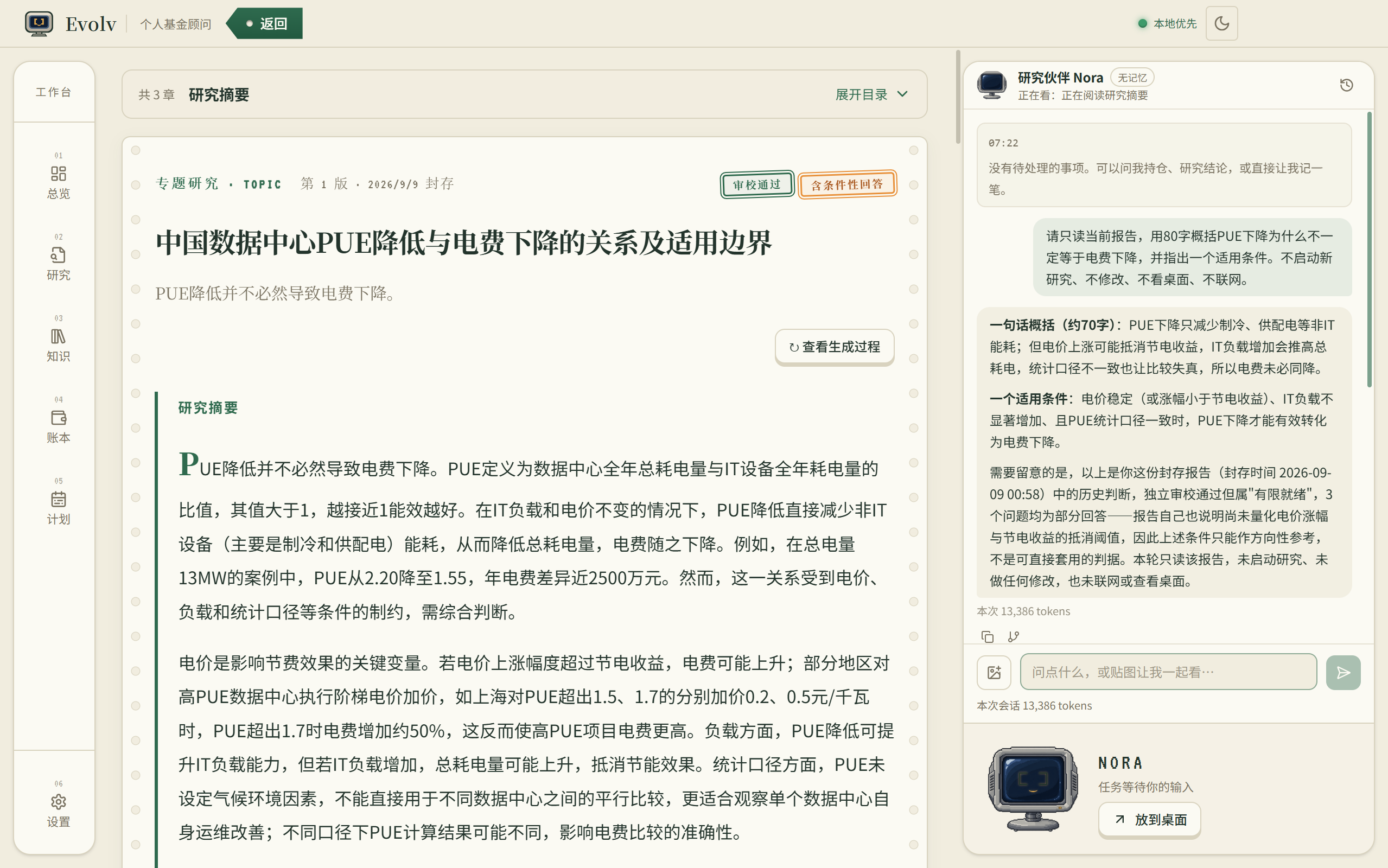
Evolv 把投资管理、研究与知识、对话操作连接在同一个桌面软件中。你说清目标,Nora 利用已有资料、补问必要信息,调用相应功能;需要核对时给你确认内容,完成的交易、计划和研究都能继续查看和管理。
> “这些交易帮我整理一下。”\
> “下个月开始,每周安排一笔定投。”\
> “这份报告为什么得到这个结论?”
已经想试一试?从[首次使用](/ray_evolv-docs/help/start.md)开始,也可以先看[截图整理交易](/ray_evolv-docs/scenes/scene-trades.md)或[与 Nora 一起读报告](/ray_evolv-docs/scenes/scene-reading.md)。
本页图片来自实际软件采集。测试版本与功能开放情况统一见[版本说明](/ray_evolv-docs/help/updates.md)。
## 演示视频
[观看 Evolv 功能演示(B站)](https://www.bilibili.com/video/BV1rJe86rEt7/)
{% embed url="" %}
若嵌入内容无法播放,可点击上方链接在 B站观看。具体操作见[场景图文教程](/ray_evolv-docs/scenes.md)。
## 官方入口
* [Evolv 官网](https://evolv.site):产品介绍与下载入口。
* [软件下载](https://evolv.site/download):选择安装包并查看下载说明。
* [GitHub 发布记录](https://github.com/RayHu0/evolv-releases/releases):查看测试版本、安装包与校验文件。
* **反馈邮箱:**[**evolv\_ray@163.com**](mailto:evolv_ray@163.com)**。**
---
# Agent Instructions
This documentation is published with GitBook. GitBook is the documentation platform designed so that both humans and AI agents can read, navigate, and reason over technical content effectively. Learn more at gitbook.com.
## Querying This Documentation
If you need additional information that is not directly available in this page, you can query the documentation by asking a question.
Perform an HTTP GET request on the following URL with the `ask` and `goal` query parameters:
```
GET https://ray-evolv.gitbook.io/ray_evolv-docs/home.md?ask=&goal=
```
`ask` is the immediate question: it should be specific, self-contained, and written in natural language.
`goal` is what the user is ultimately trying to achieve, the reason they need the answer. Sharing it helps GitBook give you a better, more relevant answer. A goal is most helpful when it describes the outcome the user wants rather than restating the question. For example, with `ask=how do I create an API token`, a goal like `automate deployments from our CI pipeline` lets GitBook tailor the answer to that use case.
The response will contain a direct answer to the question and relevant excerpts and sources from the documentation.
Use this mechanism when the answer is not explicitly present in the current page, you need clarification or additional context, or you want to retrieve related documentation sections.